 Complete VR Studio
Home › Guides › XREAL blurry edges
How to fix blurry edges on XREAL glasses (PC guide)
Owners of XREAL (formerly Nreal) glasses often notice that the middle of the virtual screen looks crisp while the corners and outer edges look soft. Part of that softness comes from the compact birdbath-style optics, and no software can remove it entirely. But a lot of edge blur comes from things you can change: the fit on your face, the resolution your PC sends, and small differences between what your left and right eye see. This guide covers general fixes first, then how per-eye tuning in Complete VR Studio can help on Windows.
Step 1: Get the fit right
- Try every nose pad. Glasses sitting too high or low push one edge of the image into the softest zone of the lens. Swap nose pads until the top and bottom edges look equally sharp.
- Adjust the tilt. Many XREAL models have adjustable temple angles. Small angle changes move the sharp area up or down.
- Check eye distance. Sliding the glasses a few millimetres closer or farther changes how much of the screen falls in the sweet spot.
- Clean both sides of the lenses with a microfiber cloth, and use prescription inserts if you normally wear glasses.
Step 2: Send a clean signal from Windows
- Open Settings › System › Display, select the glasses and set them to their native resolution (usually 1920×1080). Non-native resolutions get rescaled and look soft everywhere.
- Pick the highest refresh rate the glasses and your cable support.
- Use Windows display scaling (125–150%) for text-heavy work, so small text stays readable even near the edges.
- Keep important windows near the center of the virtual screen instead of in the corners.
Step 3: Rule out eye misalignment
If each eye sees a slightly shifted image, your brain has to work to merge them, and edges can look doubled or smeared rather than truly out of focus. Close one eye, then the other. If one eye looks noticeably sharper or the image jumps sideways or up and down, misalignment is part of the problem. See our tilted or misaligned image guide for more.
How Complete VR Studio helps
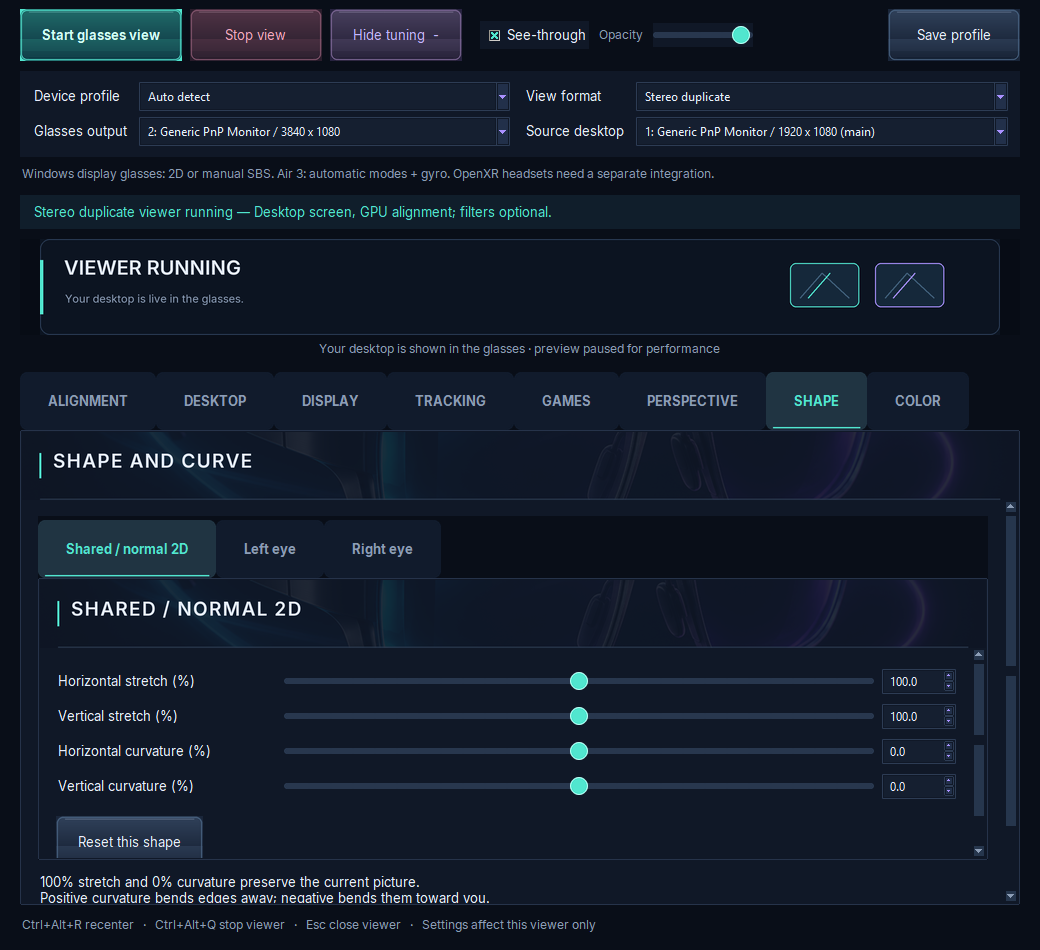
Complete VR Studio is a Windows PC app for per-eye tuning of XR glasses. For edge blur, the useful tools are:
- Per-eye perspective and tilt to line up the left and right images so they fuse cleanly.
- Per-eye stretch and curvature to pull content slightly inward, away from the softest outer zone of the optics.
- Edge fade to soften the outer border so the blurriest region draws less attention.
Work in small steps and compare before and after. Start from a neutral baseline (100% stretch, 0% curvature, zero tilt), align each eye, then try stretch slightly below 100%. Because the XREAL profile isn't validated yet, results may differ from the RayNeo Air 3, and we'd welcome your feedback through the request form.
For the same process on RayNeo hardware, read the RayNeo blurry edges guide.
Trial, price and how to get it
Complete VR Studio is a Windows 10 (version 19041 or newer) and Windows 11 x64 app, currently at version 1.0.0-preview.10. Premium features are included in a 7-day trial from install, and basic viewing keeps working until day 90. Activation costs about $5 in Bitcoin during the trial, or about $25 after it, paid in Bitcoin only. It's built security-first. See trial & pricing and compatibility for details.
FAQ
Why are my XREAL glasses blurry at the edges?
Compact AR optics are sharpest in the center. Poor fit, non-native resolution and left/right eye misalignment make edge softness worse.
Does Complete VR Studio support XREAL?
It has a manual XREAL/Nreal profile that has not been validated yet. RayNeo Air 3 is the only fully tested model.
Can software fully remove edge blur?
No. Software can align the eyes and keep content inside the sharpest zone, but it can't change the physical optics.